
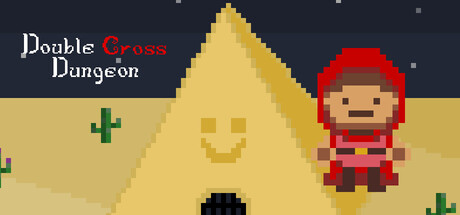
Double Cross Dungeon
هل جهازي يشغل لعبة Double Cross Dungeon
اعرف ما إذا كان جهازك قادرًا على تشغيل هذه اللعبة من خلال مراجعة الحد الأدنى والمتطلبات الموصى بها بالأسفل.
تفاصيل اللعبة
الحد الأدنى من المتطلبات
المتطلبات الموصى بها
وصف اللعبة
Watch out, your friend may become your foe!
Lost in the Temple of Nimh, your party trying to fight their way to freedom. Level up using the Ancient Cards and clearing each room of enemies as a team. All is fine until one of you is corrupted by the Traitor Card... Now it is not only a battle to escape but a battle to stay alive against your once friend!
-=== Set Up ===-
Connect 2 - 4 controllers to your laptop/PC via either Bluetooth or cable.
Stand on the pressure plates to start, select your cards and fight your way through the dungeon!
-=== How To Play ===-
In Game (General):
Movement: Left Joystick
In Game Menu (Toggle): +
Stats Peeks: Left Bumper
Switch:
Primary - Y
Secondary - B
Xbox:
Primary - X
Secondary - A
Card Selection:
Select Card - Left Joystick
Confirm - A
Deny - B
-=== ===-
Please note that if you wish to connect a Nintendo Switch Pro Controller as a wired controller, or experience controller vibration on a Nintendo Switch Pro Controller, you must enable Steam Input for Nintendo Switch Pro Controllers (from your Steam client controller settings) before launching the game, as Unity does not support either of these features natively.
Please also make sure the "Use Nintendo Button Layout" toggle is OFF, otherwise in-game button indicators will not be accurate.