

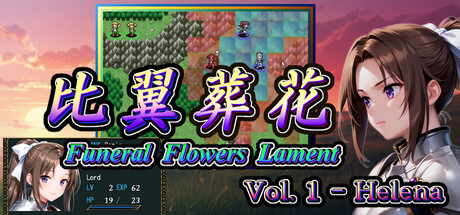
比翼葬花 Funeral Flowers Lament Vol.1 - Helena
Can my PC run 比翼葬花 Funeral Flowers Lament Vol.1 - Helena
Find out whether your PC can run this game by reviewing the minimum and recommended requirements below.
Game Details
Minimum Requirements
Recommended Requirements
Game Description
Elite Squad Tactical RPG – Part 1
No unused units — every character matters.
Built around a small, elite squad of 13–15 characters, designed for players who want to actually use and care about every unit.
Every character remains relevant throughout the game.
A Complete Tactical RPG Experience
Fight through 30 chapters (~20–30 hours) in Part 1: Helena Arc.
A full, self-contained story.
Branching narrative: choices made in Chapter 21 affect the outcome.
A two-part story that explores the same world from two different protagonists’ perspectives.
Clarity and Control
Growth rates visualized with numbers and radar charts
Individually toggle 1.5× EXP and full recovery on level up anytime
Optional: strengthen enemies on a per-map basis in repeat playthroughs
Important Notes
This is Part 1 (Helena Arc) of a two-part story
Vol.2 – Nash (Part 2) will be released separately
Save data from Part 1 will not carry over
Who This Game Is For
For players tired of SRPGs with too many units
For players who want to fully invest in every character
Synopsis
A figure remembered in history once vanquished the monsters that ravaged the land, leaving behind an ideal of calm before an untimely death.
The "Kingdom" built upon this legacy did not seek to rule; instead, it maintained a long era of stability by protecting the autonomy of local lords.
However, after the Kingdom's decline and eventual collapse, the calm that persisted in new forms has begun to stir with ominous rumors.
――The Calamity Divergence――
It is said that remnants of the malignant force have resurfaced.
Destroy them, and the calamity fades.
Subjugate them, and prosperity follows.
Fading with time, the rumors were nearly forgotten.
A shadow approaches a nobleman, claiming to deliver a divine revelation.
Is it a blessing… or a harbinger of doom?
How to Transfer Demo Save Data
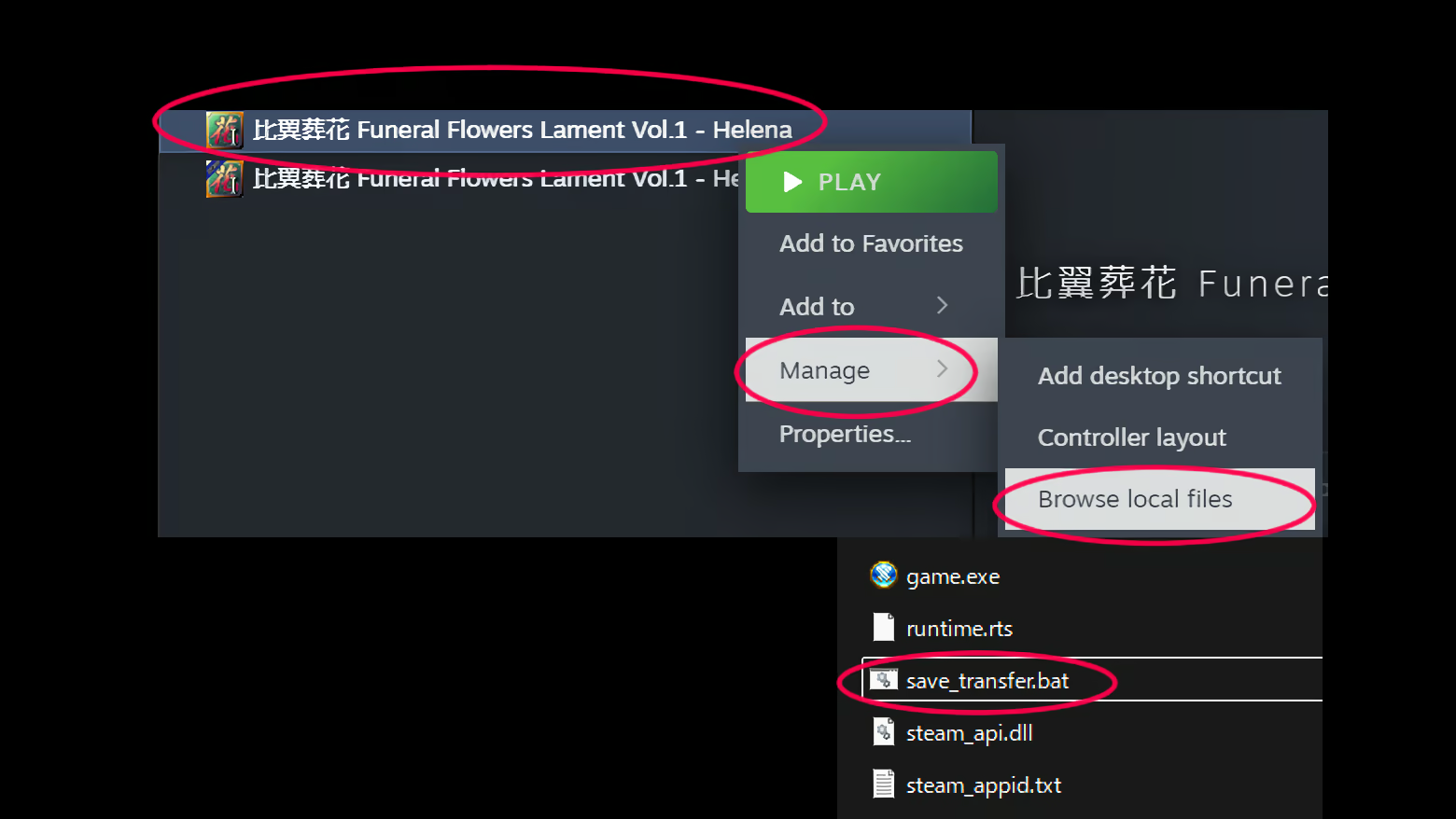
To transfer your progress from the Demo to the full game, follow the steps below:
1. Right-click the full game in your Steam Library.
2. Select Manage > Browse local files to open the game directory.
3. Run the file named "save_transfer.bat" in the folder.
4. Follow the on-screen instructions and press "Y" to complete the transfer.
Transferred Data:
Save folder (save slots)
game.ini (system settings)
environment.evs (clear data / global flags)
Important:
Please perform this transfer before uninstalling the Demo.
If the Demo is uninstalled first, your save data may be lost.
We recommend running this tool immediately after installing the full game.
Final Note
If Helena’s journey has caught your interest, please consider adding the game to your wishlist.