

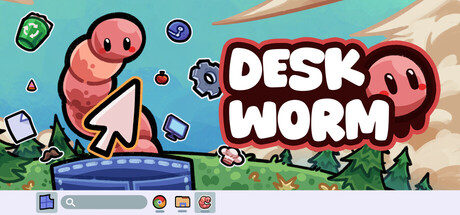
Deskworm
Can my PC run Deskworm
Find out whether your PC can run this game by reviewing the minimum and recommended requirements below.
Game Details
Minimum Requirements
Recommended Requirements
Game Description
A Little Worm for Your Desktop
Meet your own tiny desktop worm pet. It moves when you type, click, or play with a gamepad. Every input makes it crawl a bit further until it reaches the screen edge and turns around. It is small, calm, and just hangs out with you while you use your PC.
Pocket Mode
If you want less movement, put it in Pocket Mode. The worm sits in a small pocket on your screen and its head follows your mouse cursor. It stays close, quietly judging your life choices while you work and play.
Items & Customization
As you use your PC, you earn points by typing and clicking. Spend those points on item drops to unlock new hats and skins. Make your worm cute, silly, stylish, or totally cursed – it is up to you.
Common (85%), Uncommon (10%), Rare (4%), Epic (0.95%), Legendary (0.05%)
Crafting & Upgrading
Have duplicate items or styles you do not use? Combine items of the same rarity to craft one from the next tier. You can also feed items to your worm to add more body segments, so it slowly grows longer over time.
Comfort Settings
You can scale the worm to be tiny or big, just how you like it. Resize the pocket, and adjust many settings to make your companion feel cozy on your desktop.
Made for Focus & Breaks
Use the Pomodoro timer to work in gentle focus blocks with clear breaks. Turn on the Anti-Shrimp stretch reminder so the worm can remind you to sit up straight, stand up, and stretch. It is a small, friendly nudge to take better care of yourself while you are at your PC.