

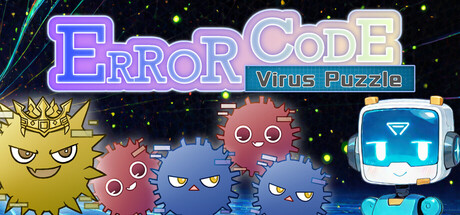
ERROR CODE - Virus Puzzle
Can my PC run ERROR CODE - Virus Puzzle
Find out whether your PC can run this game by reviewing the minimum and recommended requirements below.
Game Details
Minimum Requirements
Recommended Requirements
Game Description
System Emergency Detected
The computer system has been infected by an unknown virus.
Countless viruses have spread throughout cyberspace, pushing the system to the brink of collapse.
As the Master, you must dive into the digital world, eliminate the scattered viruses, and restore the system to a safe state.
You can do this… the system is counting on you.
Game Overview
This is a stage-based puzzle game focused on logic and experimentation.
Clicking a virus causes other viruses to appear or disappear according to a unique pattern assigned to each stage.
Your task is to analyze these patterns and determine the correct sequence of actions needed to eliminate every virus.
The objective is simple:
clear all viruses from the stage.
Explore Cyberspace
Cyberspace is divided into nine distinct areas, each introducing new mechanics and challenges.
Viruses with different properties and colors
Teleport devices that alter positions
Unique gimmicks that test your reasoning skills
As you progress, new systems and interactions deepen the puzzle complexity.
Controls
The game features simple and intuitive controls.
All gameplay can be performed using only the left mouse button.
Left Click: Select / Activate a virus
Additional controls:
Enter: Confirm
R: Reset stage
Esc: Menu
Progress is saved automatically.
Tips for Success
■ Identify the Pattern
Start by clicking several viruses and observe how others react.
Understanding the relationship between viruses is the key to solving each puzzle.
■ Think Ahead
Sometimes the best move is not the one that removes the most viruses immediately.
Plan several steps ahead to create an efficient solution.
Each stage displays the minimum number of moves required for completion.
If you exceed minimum moves +5, the stage will automatically reset, encouraging careful and strategic play.
Restore Order to Cyberspace
Observe. Analyze. Solve.
A simple control scheme combined with deep logical gameplay creates a satisfying puzzle experience.
Eliminate every virus and bring the system back online.