

Fleet
Can my PC run Fleet
Find out whether your PC can run this game by reviewing the minimum and recommended requirements below.
Game Details
Minimum Requirements
Recommended Requirements
Game Description
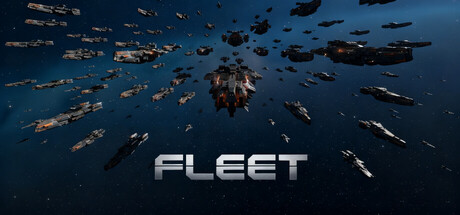
Fleet is a light rogue-like game infused with real-time tactical elements. Players select distinct initial fleets, purchase and upgrade various ships throughout the game, and assemble massive fleets with unique styles to defeat wave after wave of enemy fleets.
Game Features
Fast-paced, with each game lasting no more than 30 minutes.
Simple to operate—some ship combinations require no manual input at all!
With dozens of ships to choose from—ranging from small fighters to massive carriers, from combat vessels to engineering ships—you're sure to find your favorite combination.
With hundreds of weapons and equipment to choose from, you can either build a massive fleet to overwhelm your enemies with sheer numbers or arm a small elite force to defeat superior odds.
Custom difficulty allows you to adjust enemy strength to find a playstyle that suits you.
Convenient MOD creation mode: All in-game data is configured in text format. Simply copy files and modify values to create MODs, unleashing your creativity and that of other players!