

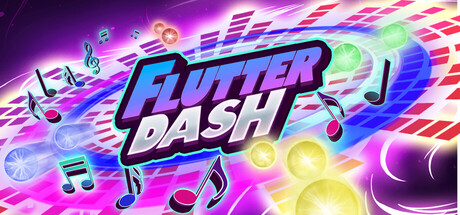
Flutterdash
Can my PC run Flutterdash
Find out whether your PC can run this game by reviewing the minimum and recommended requirements below.
Game Details
Minimum Requirements
Recommended Requirements
Game Description

Timing is everything. Press the corresponding button the moment a note aligns to score. Your timing accuracy directly affects score and builds combos so consistently precise hits reward higher points and longer combo streaks.

Notes fly from the center towards the four directions: North, South, East, and West. Click in the correct direction when they approach.

The game responds to the music with tightly synchronized visual effects that bring every beat to life. Expect rhythmic pulses, timed flashes, subtle camera movements, and occasional lens distortions that react directly to the soundtrack.

Drop any song into the game, and Flutterdash will automatically analyze its audio to generate a playable level based on that track. After generation, you can still edit and refine the result. You can customize the difficulty by adjusting the BPM, shifting note positions, tweaking difficulty scaling, and fine-tuning scoring rules.

If you want to change the game’s difficulty or just experiment, modifiers let you do that. Each modifier changes core mechanics in a simple way, letting you build challenges that test your speed, precision, or memory. Use them on their own, or combine several together for the toughest challenge.
Speed Up -> Increases note speed.
Hardcore -> No healing.
Ghost -> Notes are 75% invisible.
One Shot (Normal) -> Click early, late, or miss, and it’s game over.
One Shot (Ultra) -> Only perfect timing counts.

Compass-Based Rhythm Combat:
Experience a fresh take on rhythm gameplay with a unique compass mechanic. Notes fly outward from the center to the four directions (N, S, E, W), and you must strike them precisely in time with the beat.
Visual Feedback:
The game features a visual effects system that enhances gameplay by applying dynamic camera movements, screen shakes, lens distortion and more. These effects respond to the rhythm and player inputs, creating an immersive and engaging experience.
Automatic Custom Level Creator:
Import your music and let the game auto-generate a level for you. Then, you can fine-tune the BPM, note placements, scoring, and more.
Dynamic Mod System for Hardcore Players:
Choose from modifiers like Speeding Up, Hardcore, Ghost, One Shot, and One Shot Ultra to ramp up the difficulty and test your precision and focus.