

Morse Challenger
Can my PC run Morse Challenger
Find out whether your PC can run this game by reviewing the minimum and recommended requirements below.
Game Details
Minimum Requirements
Recommended Requirements
Game Description
"Morse Challenger" is a casual shooting game centered around Morse code.
This game allows you to become familiar with Morse code while playing. During gameplay, simply input the code that matches the enemy's letter, and your ship will fire bullets to shoot down the alien invaders and protect your homeland!
The game is easy to pick up, with most operations completed by simple taps and holds.
After the game starts, enemy spaceships will continuously appear in the play area. They will attack while charging toward your ship. When an enemy ship collides with your ship, it will self-destruct. Your ship has a certain amount of shield, which can effectively defend against enemy bullets, but enemy self-destructions can easily destroy one of your shields.
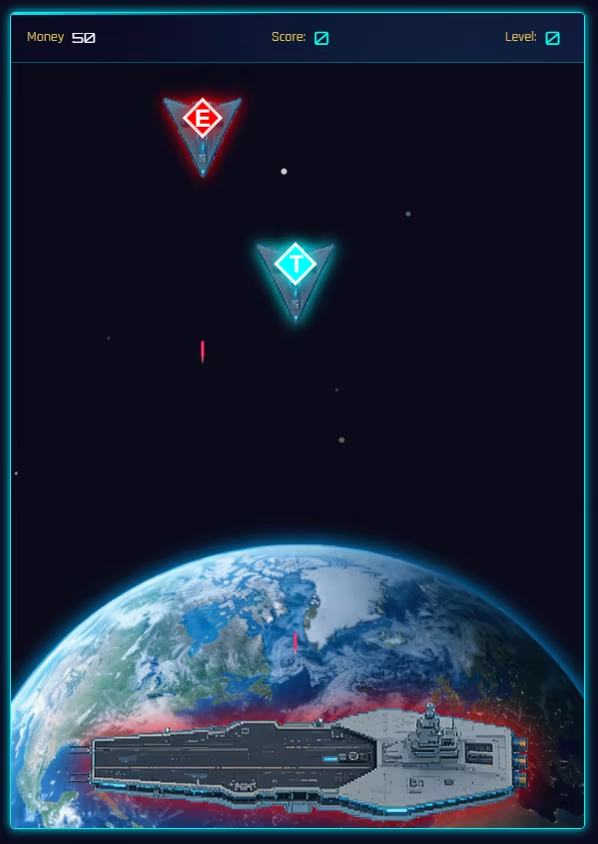
You need to observe the letter on the enemy ship and quickly find the corresponding Morse code combination in the Morse code table. Inputting the correct code will lock onto the enemy ship.
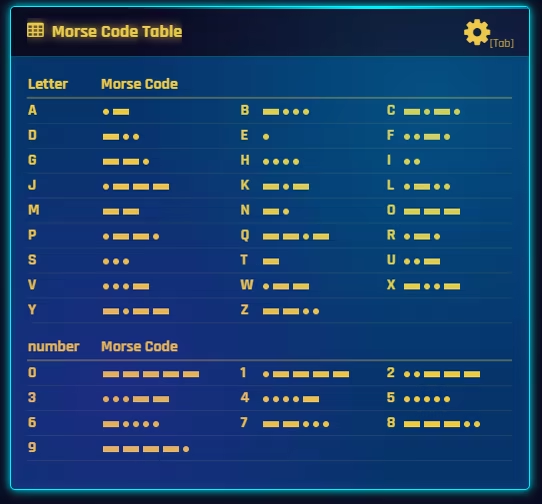
On the control panel, by tapping the largest "Tap" button (or the J key), you can input a Morse code "."; by holding the "Tap" button, you can input a Morse code "-". All letters and numbers are composed of "." and "-". As long as you input the correct code combination, you can lock onto the enemy target and attack.
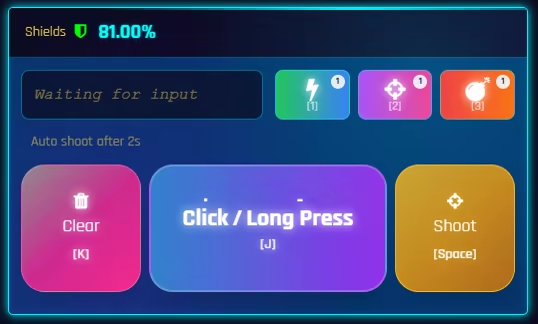
After successfully inputting the Morse code on the control panel, you can quickly issue a firing command by tapping the "Fire" button (or the space key), or you can wait for 2 seconds, and the system will automatically execute the firing command. Additionally, the waiting time for the automatic firing command can be adjusted in the settings via the challenge sensitivity setting.

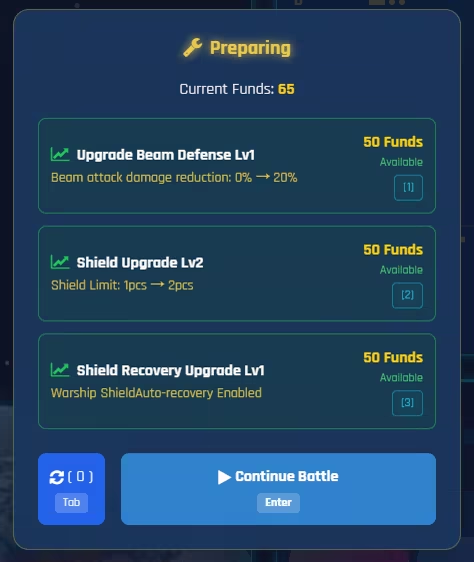
The difficulty of the battle will gradually increase as your score rises. Whenever the difficulty increases, you will get a chance to resupply. You can choose the desired upgrade direction during resupply. Of course, the funds needed for upgrades must be obtained by destroying enemy ships in battle.
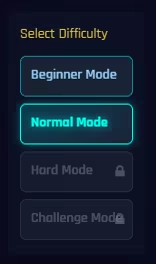
As a casual game, it adopts a linear challenge mode where you play through levels one by one. However, there are multiple difficulty modes that need to be unlocked by completing them one by one.
The ultimate goal of the game — to challenge higher score records!
The way to achieve the goal — become more familiar with Morse code the more you play!